
For a healthcare practice covered by HIPAA, cybersecurity compliance requires far more than antivirus software and an annual training presentation.
The practice must identify risks to electronic protected health information, reduce those risks, control access, prepare for disruptions and security incidents, oversee vendors, and document what it is doing.
Small practices can choose safeguards that fit their size, systems, and risks. They cannot skip the core requirements simply because they have fewer employees or a limited IT budget. (HHS.gov)
What does HIPAA require a healthcare practice to do?
The HIPAA Security Rule protects electronic protected health information, commonly called ePHI. This includes identifiable patient information stored or transmitted through EHRs, billing systems, email, laptops, cloud platforms, mobile devices, backups, telehealth tools, and other electronic systems.
In practical terms, the requirements come down to eight responsibilities: assess risk, control access, protect systems and communications, maintain backups, train staff, manage vendors, respond to incidents, and document the work.
1. Conduct a security risk analysis
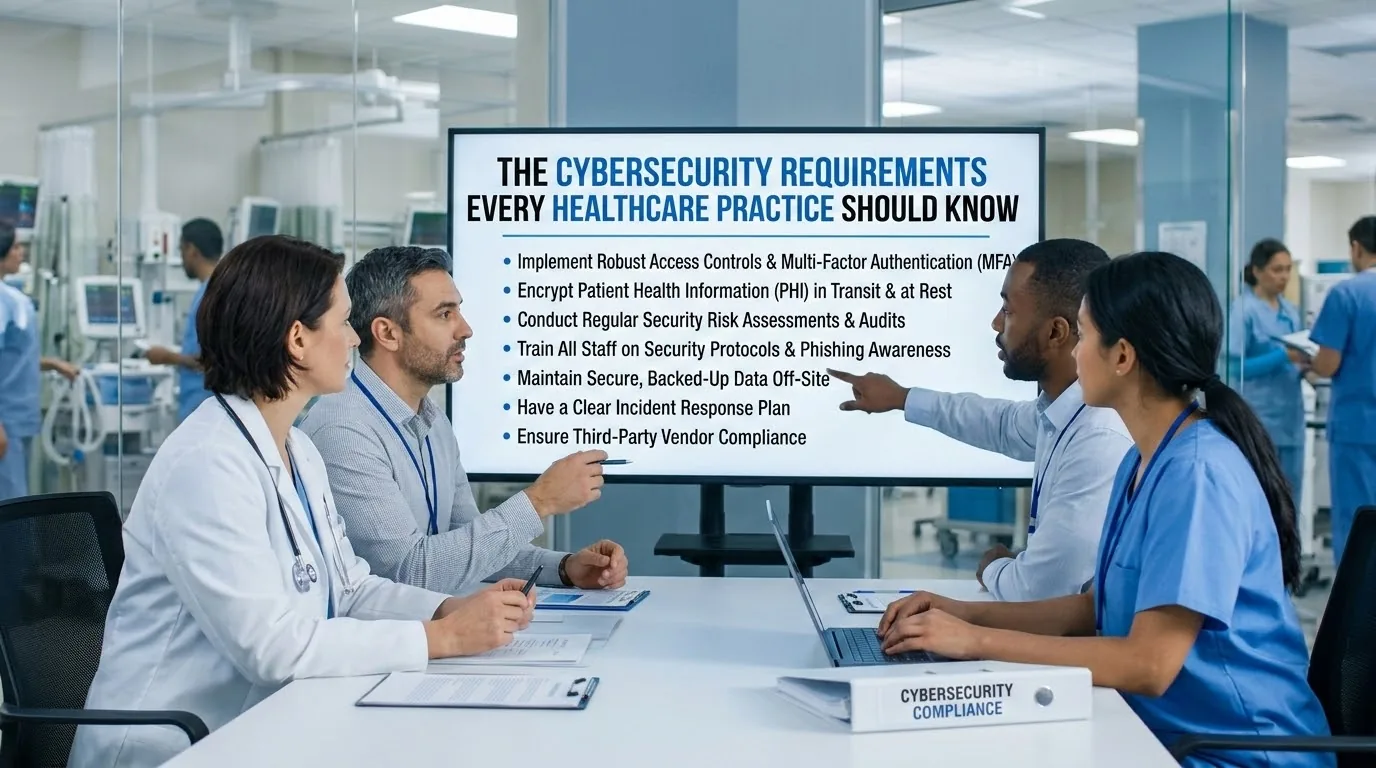
Every HIPAA-covered practice and business associate must conduct an accurate and thorough assessment of the risks and vulnerabilities affecting its ePHI. The analysis should identify where patient information is stored, which systems and devices can access it, which vendors receive or maintain it, who has access, what could expose, alter, destroy, or make the information unavailable, which safeguards are already in place, and which risks still need correcting.
Completing the analysis is only the first step. The practice must also reduce identified risks to a reasonable and appropriate level, creating a remediation plan, assigning responsibility, setting priorities, and documenting completed work. (eCFR §164.308)
HIPAA does not set a universal requirement to repeat the analysis once every calendar year, though the assessment and security program must remain accurate. A practice should review them when it changes EHRs, adds a location, adopts telehealth or AI software, changes vendors, experiences an incident, or makes another significant operational change. An annual review is a useful operating practice, but it is not a substitute for updating the analysis when circumstances actually change. This isn't a theoretical concern either. As of 2025, OCR reported that incomplete or missing risk analysis remains the single most frequently cited deficiency in its investigations, resolving 21 settlements and civil monetary penalties totaling over $8.3 million that year alone (eCFR §164.306).
2. Control who can access patient information
A practice must limit access to people who have been authorized to use its systems, and every user should have an individual account so the practice can identify and track that person's activity. Shared accounts such as "frontdesk," "nurses," or "examroom1" create serious problems, since they prevent the practice from reliably determining who viewed, changed, downloaded, or disclosed a patient record.
At minimum, give each user a unique account, match access to their job duties, review access when responsibilities change, disable accounts promptly when someone leaves, require authentication before granting access, and enable and regularly review appropriate audit and access records. The Security Rule expressly requires unique user identification and audit controls, along with procedures for authorizing, reviewing, modifying, and ending access. (eCFR §164.308)
3. Protect accounts, devices, and communications
The most valuable protections are often the simplest ones: strong account security, protected devices, approved communication channels, and timely system updates.
Use multifactor authentication. MFA requires more than a password to sign in, whether through an authentication app, security key, or one-time code, and should be enabled for staff email accounts, remote access, EHR and practice-management systems, cloud storage, billing systems, administrator accounts, and any system that stores or provides access to patient information. MFA is not currently an explicit, universal HIPAA requirement in every situation. HHS proposed making it broadly mandatory in a December 2024 rulemaking, but as of July 2026, HHS continues to identify the December 2024 changes as a proposed rule rather than part of the Security Rule currently in effect. Even so, MFA is a high-priority safeguard, since it can prevent a stolen password from becoming a full account compromise.
Encrypt sensitive data. Encryption makes information unreadable without the proper key or credentials, and practices should prioritize it for laptops, portable devices, backups, cloud storage, and sensitive communications. Under the current Security Rule, encryption at rest and in transit is "addressable." Addressable does not mean optional. The practice must determine whether encryption is reasonable and appropriate, and if it decides not to implement it, must document why and use an equivalent alternative when reasonable and appropriate. (eCFR §164.312) Encryption also matters after an incident, since properly encrypted information may not be considered "unsecured" PHI for breach-notification purposes, provided the decryption process or key wasn't also compromised.
Lock unattended devices. Automatic logoff is also an addressable specification under the current rule. Practices should use automatic screen locks, especially on reception computers, examination-room workstations, laptops, and remote-work devices. There's no universal rule requiring a specific number of minutes, but the practice should set an appropriate period based on its environment and document the decision.
Use approved communication methods. HIPAA does not categorically prohibit email containing ePHI, but it does require the practice to assess the risks and protect the information against unauthorized access, alteration, or interception. Staff should use approved secure email, patient portals, and messaging tools rather than making individual decisions about consumer email or text applications, and the practice should document how electronic communications are protected.
4. Maintain backups and a recovery plan
HIPAA requires a data backup plan, a disaster-recovery plan, and procedures for continuing critical operations during an emergency. A practice should know which systems contain critical information, how often those systems are backed up, whether attackers could modify or delete the backups, who can access them, how the information will be restored, which systems must be restored first, and how patient care will continue during downtime.
At least one backup copy should be protected from the main network so ransomware cannot easily encrypt both the live system and every backup. Backups should also be tested, since a successful backup notification does not prove the practice can actually restore its EHR, schedules, billing records, or patient documents. HIPAA identifies backup, disaster-recovery, and emergency-mode plans as required components of contingency planning, and testing and revising those plans is an addressable specification.
5. Train employees and set clear procedures
The Security Rule requires a security-awareness and training program for the entire workforce, including management, covering everyday situations like recognizing phishing messages, protecting passwords and login codes, reporting suspicious login prompts, handling patient information in email, securing laptops and mobile devices, working remotely, reporting lost devices and misdirected messages, and responding to a suspected security incident.
Training should never be treated as a one-time presentation. Employees need periodic reminders, and training should update as threats, systems, or workflows change. The practice should document who completed training, when it occurred, and what it covered, and it must have an appropriate sanctions process for employees who violate security policies.
6. Manage vendors and business associate agreements
A business associate agreement, or BAA, is generally required when a vendor creates, receives, maintains, or transmits PHI on the practice's behalf. Potential business associates include EHR providers, billing companies, cloud-storage providers, backup providers, managed IT companies, transcription services, telehealth platforms, some email providers, and some analytics and AI vendors. A BAA is not required simply because a company sells software or equipment. The deciding issue is whether the vendor will access, create, receive, maintain, or transmit PHI while providing its service.
A BAA also does not make a product automatically compliant. A practice using a cloud service must have the appropriate agreement and must configure and use the service in compliance with HIPAA, since public sharing links, weak administrator accounts, missing audit logs, and excessive user access can create risk even when a BAA exists. Before approving a vendor, ask whether it will sign a BAA when required, what patient information it will access or store, how it controls access and protects information, how quickly it must report a suspected security incident, and what happens to the information when the contract ends. Outsourcing IT or cybersecurity work does not outsource the practice's responsibility to select, contract with, and oversee its vendors.
7. Create an incident-response and breach-assessment process
Practices must have procedures for identifying, responding to, mitigating, and documenting security incidents, including ransomware, compromised email accounts, lost or stolen devices, unauthorized employee access, patient information sent to the wrong person, vendor breaches, and malware or suspicious system activity.
When an incident occurs, the practice should report it internally immediately, contain affected accounts, devices, or systems, preserve relevant records and evidence, determine what patient information was involved, involve appropriate IT, cybersecurity, insurance, compliance, and legal resources, complete and document a breach-risk assessment, make any required notifications, and correct the weakness that caused or contributed to the incident.
A ransomware infection is always a security incident, but whether it's a reportable HIPAA breach depends on the facts. The practice must investigate what happened and determine whether ePHI was acquired, accessed, used, or disclosed. An impermissible use or disclosure is generally presumed to be a breach unless the practice documents a low probability that the information was compromised, based on the information involved, who received it, whether it was actually viewed or acquired, and what was done to reduce the risk.
For a reportable breach, affected individuals must be notified without unreasonable delay and no later than 60 calendar days after discovery. The 60-day period is a maximum, not permission to wait until day 60. Breaches involving more than 500 residents of a state or jurisdiction also trigger media-notification requirements, and reporting to HHS is required under rules that vary by breach size. (eCFR §164.404)
8. Keep evidence of compliance
A written policy is useful only when the practice can show it followed the policy. Maintain an organized compliance file with security risk analyses, risk-remediation plans, security policies and procedures, security-official designation, employee training records, business associate agreements, vendor reviews, access-management decisions, incident and breach assessments, backup and recovery test records, and documentation of significant security decisions.
HIPAA-required policies, procedures, assessments, and other required documentation generally must be retained for six years from creation or from the date they were last in effect, whichever is later. That doesn't necessarily mean every raw technical log must be kept for six years. The practice should set log-retention periods based on its risk analysis, operational needs, incident-detection requirements, contracts, and applicable laws, though HIPAA does require regular review of relevant information-system activity, including audit logs, access reports, and security incident records. (eCFR §164.316)
What is required and what is a best practice?
Healthcare cybersecurity guidance often becomes confusing because legal requirements, addressable safeguards, recommendations, and proposed rules get presented as though they're all the same.
- Required under the current HIPAA Security Rule: security risk analysis, risk management, a designated security official, workforce access controls, security-awareness training, unique user identification, audit controls, incident procedures, backup and disaster-recovery planning, appropriate business associate agreements, and written policies and required documentation.
- Addressable under the current rule: encryption, automatic logoff, some transmission-integrity controls, and testing and revision of contingency plans. An addressable safeguard must be evaluated and implemented when reasonable and appropriate, or the practice must document its reasoning and use an equivalent alternative when appropriate.
- Strongly recommended, though not all individually named as universal requirements: multifactor authentication, protected or isolated backups, endpoint security tools, phishing testing, vulnerability scanning, centralized monitoring, and network segmentation.
- Proposed, not current law: HHS proposed substantial Security Rule changes in December 2024, including more specific cybersecurity obligations. As of mid-2026, those proposed changes remain unfinalized amid significant industry pushback, and practices should follow the rule currently in effect while monitoring HHS for any final rule and future compliance date.
Common healthcare cybersecurity mistakes
The most common problems are usually not highly technical. They're basic controls that were never implemented, reviewed, or documented: completing a risk assessment but never fixing the risks, allowing staff to share accounts, failing to disable former employees' access, leaving MFA off on email or administrator accounts, using unencrypted laptops or portable storage, letting employees use unapproved messaging and file-sharing tools, assuming a BAA makes a vendor automatically compliant, keeping backups without testing restoration, enabling audit logs but never reviewing them, waiting until an incident occurs to create a response plan, and failing to document training and security decisions.
What should a small healthcare practice do first?
A practice with limited time and resources shouldn't try to fix everything at once. Start by assigning responsibility, naming the person accountable for the security program, then complete or update the risk analysis to include current devices, systems, vendors, and workflows. Create a remediation plan ranking findings by likelihood and potential harm, turn on MFA starting with email, remote access, cloud platforms, administrator accounts, billing, and EHR access, and eliminate shared accounts.
From there, confirm encryption on laptops, mobile devices, backups, and sensitive transmissions, review vendors and BAAs, test a data restoration, train employees on phishing and incident reporting, and create and test an incident-response plan. The best place to begin is the practice's most recent risk analysis. If the practice cannot produce one, or if it doesn't include current systems and vendors, that's the first problem to address.
When HIPAA is not the only rule
HIPAA is a federal baseline. A more protective state health privacy law may also apply, and practices generally must comply with both when the requirements aren't in conflict, since state laws may provide broader patient rights, cover additional categories of information, or require faster breach notification. Additional requirements may also apply to substance use disorder records, consumer health applications outside HIPAA, biometric information, telehealth across state lines, online payment processing, and contracts with insurers, hospitals, or other partners. Practices handling records covered by 42 CFR Part 2 face additional confidentiality and breach requirements, and some health applications and personal health record services not subject to HIPAA may instead fall under the FTC Health Breach Notification Rule.
Frequently asked questions
Does every healthcare practice need a security risk analysis?
Yes. Every HIPAA-covered entity and business associate must conduct an accurate and thorough risk analysis of its ePHI, with no exemption based solely on the practice's size.
Is multifactor authentication required by HIPAA?
Not as a universal, expressly named requirement under the Security Rule currently in effect, though it remains one of the strongest practical safeguards against compromised passwords.
Is encryption required?
Encryption is an addressable specification under the current rule. A practice must assess it, implement it when reasonable and appropriate, or document why it isn't and use a reasonable alternative when applicable.
Does every technology vendor need a BAA?
No. A BAA is generally required when the vendor creates, receives, maintains, or transmits PHI on the practice's behalf. A vendor that merely sells a product and never accesses PHI may not be a business associate.
Are small practices held to the same standards as hospitals?
The core requirements still apply, but the rule is flexible and scalable, so a small practice may implement safeguards differently from a large hospital system while still meeting what's reasonable and appropriate for its own risks and environment.